

Export & Import a Room
The Export / Import tab (in the left icon rail) saves a whole room — markers, layers, drawn shapes, and optionally rasters — as a single GeoPackage, and restores one back into a room.
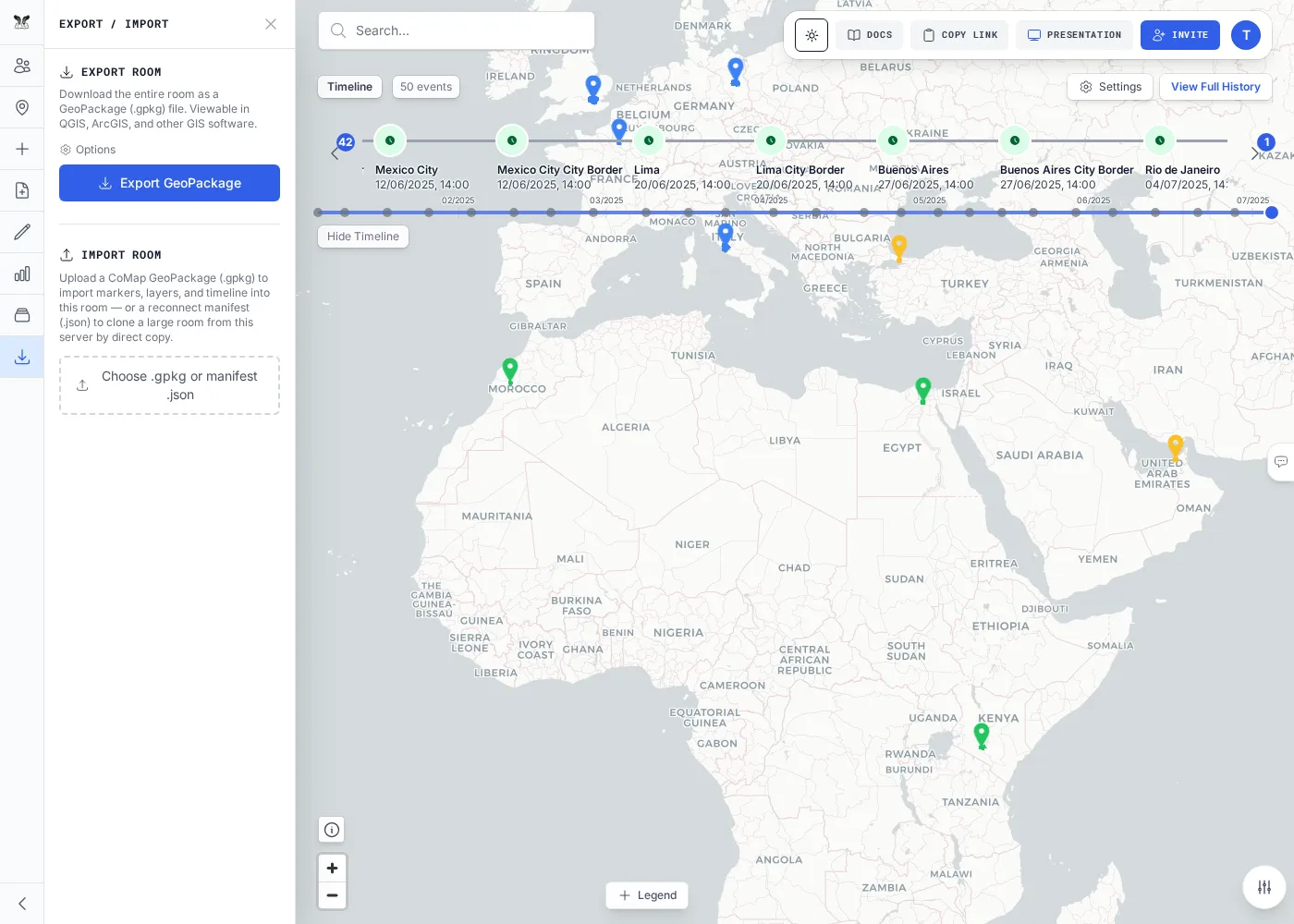
Export a room
Section titled “Export a room”- Open the Export / Import tab and choose what to include — you can add the raster GeoTIFFs and pre-generated tiles, or export just the vector content.
- Export. You get a
.gpkgfile that opens directly in QGIS, ArcGIS, or any GeoPackage-aware tool.
Small and normal-sized rooms export synchronously (the file downloads when it’s ready). Very large rooms switch to an asynchronous background job — the export runs server-side and you download the finished artifact when it completes. The panel tells you which mode a room will use.
Import a room
Section titled “Import a room”Import accepts a .gpkg (a room export) or a reconnect manifest (.json, see below).
- Open the Export / Import tab and choose your file.
- Confirm. The room’s contents are replaced with the imported data.
Clone a large room (reconnect manifest)
Section titled “Clone a large room (reconnect manifest)”For rooms too large to move as a single GeoPackage, export produces a small reconnect manifest
(.json) instead of bytes. Importing that manifest clones the room by copying data server-side — no
re-processing, no multi-gigabyte download. The clone is same-instance only, and its storage counts
against the new owner’s quota.
Do it via the API
Section titled “Do it via the API”# Export the whole room to a GeoPackage (empty body = full room state) — needs `read`curl -X POST "$API/api/rooms/$ROOM/export" -H "Authorization: Bearer $TOKEN" \ -H "Content-Type: application/json" -d '{}' -o room.gpkg
# Import a GeoPackage into the room (≤ 2 GiB) — needs `write`curl -X POST "$API/api/rooms/$ROOM/import" -H "Authorization: Bearer $TOKEN" \ -F "file=@room.gpkg"# Probe which mode to usecurl -s "$API/api/rooms/$ROOM/export-size" -H "Authorization: Bearer $TOKEN"# → { "recommended": "sync" | "async" }
# Start an async export, poll it, then download the artifactcurl -X POST "$API/api/rooms/$ROOM/export-jobs" -H "Authorization: Bearer $TOKEN" \ -H "Content-Type: application/json" -d '{}' # → 202 { jobId }curl -s "$API/api/rooms/$ROOM/export-jobs/<jobId>" -H "Authorization: Bearer $TOKEN" # → statuscurl -s "$API/api/rooms/$ROOM/export-jobs/<jobId>/artifact" -H "Authorization: Bearer $TOKEN" -o room.gpkgSee the Export, Import & Clone reference for the full endpoint list.