

Room API Tokens
A room API token (prefix cmap_) lets a script or tool operate on one room without a browser
session. It’s the recommended way to automate uploads, imports, marker creation, and exports.
Mint a token
Section titled “Mint a token”Only the room owner can create tokens (a token can’t mint tokens).
-
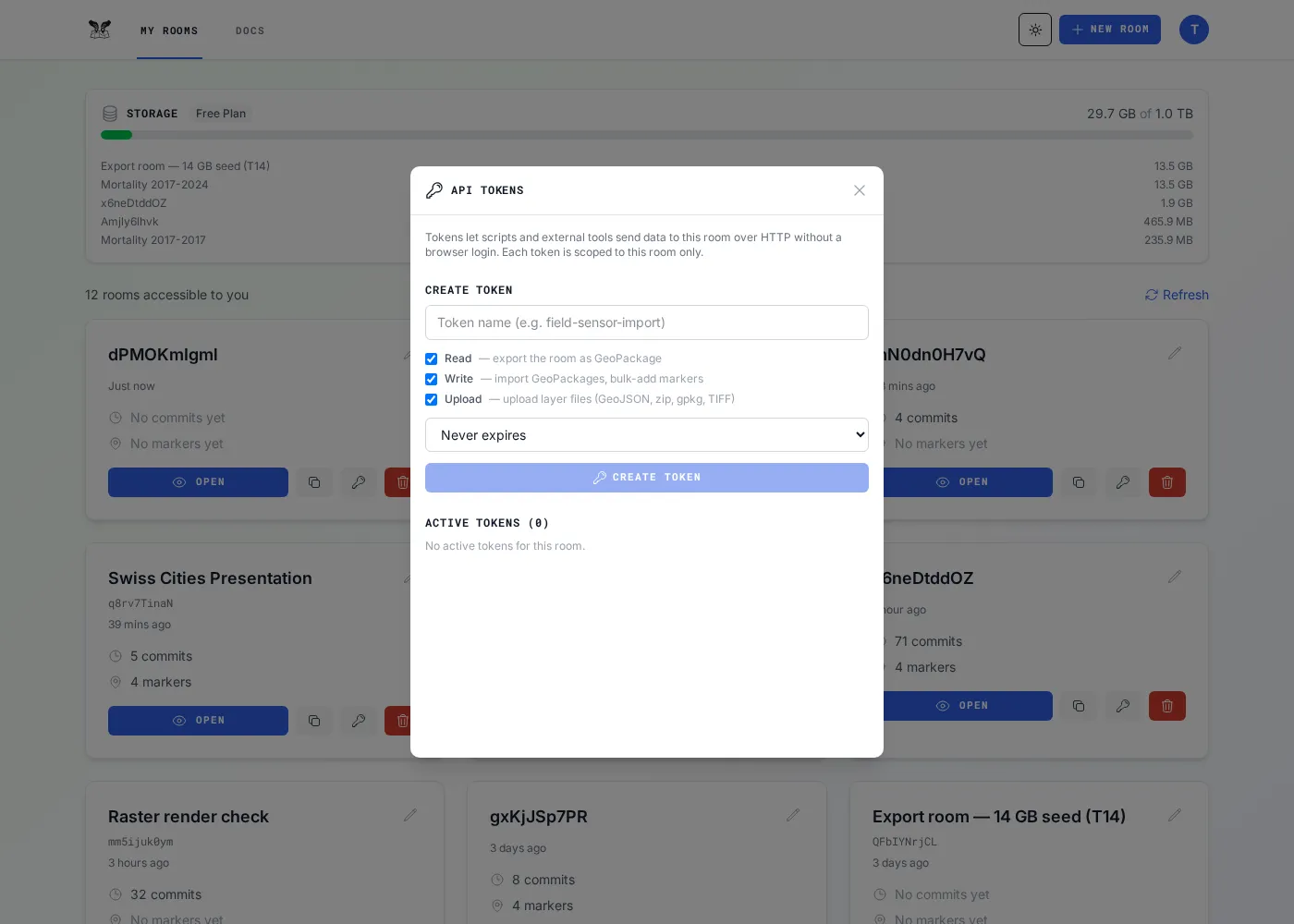
Go to My Rooms and click the API (key) button on the room’s card.
-
Choose the permissions you need and create the token.
-
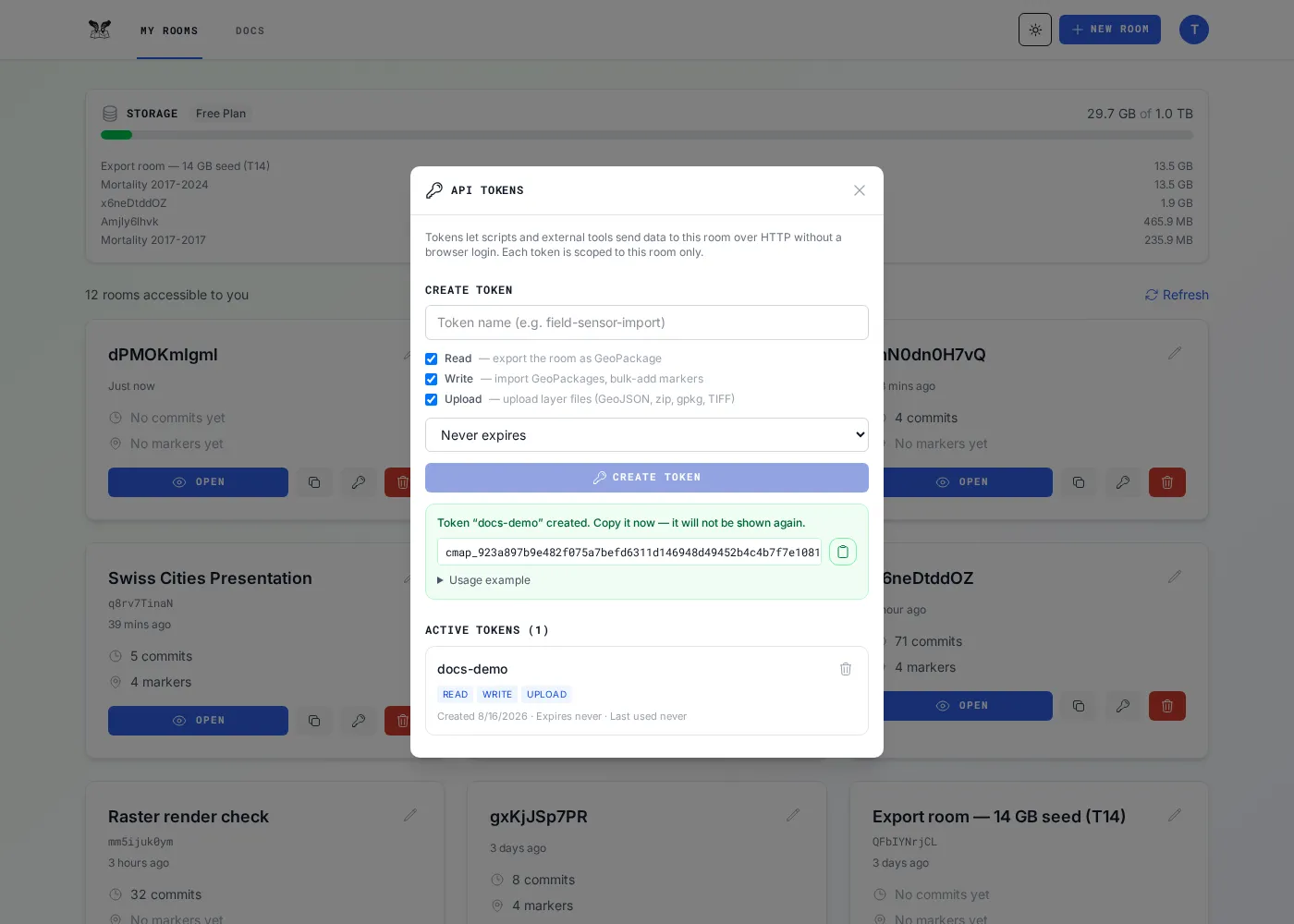
Copy the secret now — it’s shown only once.
Needs your owner JWT (see Overview):
curl -X POST "$API/api/rooms/$ROOM/api-tokens" \ -H "Authorization: Bearer $JWT" -H "Content-Type: application/json" \ -d '{"name":"my-script","permissions":["read","write","upload"],"expiresInDays":30}'# → { "token": "cmap_…", "id": "…" } (copy the token — it is not retrievable again)expiresInDays is optional (1–365); omit it for a token that never expires.
List them with GET /api/rooms/$ROOM/api-tokens; revoke with
DELETE /api/rooms/$ROOM/api-tokens/<tokenId> (takes effect immediately). Both are
owner-only, exactly like minting.
If you’re already signed in, you don’t need the JWT step at all — the mint endpoint also accepts your session cookie, so this works straight from the browser devtools console on a CollMap tab:
await (await fetch(`/api/rooms/${ROOM}/api-tokens`, { method: 'POST', credentials: 'include', headers: { 'Content-Type': 'application/json' }, body: JSON.stringify({ name: 'my-script', permissions: ['read', 'write', 'upload'] }),})).json();// → { token: "cmap_…", id: "…" }Handy for a one-off token without setting up a script. It’s the same endpoint and the same owner-only rule — only the way you prove who you are differs.
Permissions
Section titled “Permissions”Mint a token with only what it needs:
| Permission | Lets the token… |
|---|---|
| read | Read the room (metadata, markers, layers, comments, raster) and export it |
| write | Import, add markers (single + bulk), update and delete markers, create layers, edit layer style, comments, raster display |
| upload | Upload layer files (GeoJSON / zip / gpkg / GeoTIFF) |
What a token may call
Section titled “What a token may call”A token is accepted only on these room-scoped data endpoints — everything else returns
403 api_token_not_allowed:
| Permission | Endpoints |
|---|---|
read |
GET /api/rooms/:roomId, .../info, .../markers[/:markerId], .../marker-icons, .../comments, .../raster-layers[/:layerId]; GET /api/layers/:roomName; POST .../export, .../export-jobs, GET .../export-size, .../export-jobs/:id[/artifact], .../export-manifest |
write |
POST .../layers (inline GeoJSON), .../markers (single create), PATCH .../markers/:markerId, DELETE .../markers/:markerId (any marker — see below), .../import, .../bulk-import, .../clone-jobs, .../comments[/:id/replies], PATCH .../comments/:id, DELETE .../comments/:id[/replies/:rid] (own comments only), PATCH /api/layers/:layerId, PATCH .../raster-layers/:id/display, POST .../markers/upload-image, POST .../marker-icons |
upload |
POST /api/layers/upload, .../upload-chunk, .../process-chunked |
| (any token) | Job polling (GET /api/layers/jobs/:id, /api/jobs/:id), tiles, layer feature reads, marker-image redirect |
What a token cannot do
Section titled “What a token cannot do”These are owner/admin operations — do them as the owner (in the app, or with your owner JWT). They
return 403 api_token_not_allowed on purpose:
- Create / delete / clear / rename a room; toggle public; camera & timeline settings
- Invite / remove members; mint, list, or revoke tokens
- Read account / usage (
/api/account), admin routes, register-user,/users/me - Delete a layer or raster layer
The room must already exist (created by the owner); the token operates within it.
Head to the Quick Start for a full copy-paste walkthrough.