

Upload a GeoPackage
A GeoPackage (.gpkg) is a single-file database that can hold many layers at once — points,
lines, and polygons together. It’s the format CollMap itself uses for
room export, so it round-trips cleanly.
Upload it in the app
Section titled “Upload it in the app”- Open the Upload Layer tab and choose your
.gpkgfile. - Name it and upload. Every table in the GeoPackage is imported as its own layer; point tables become markers.
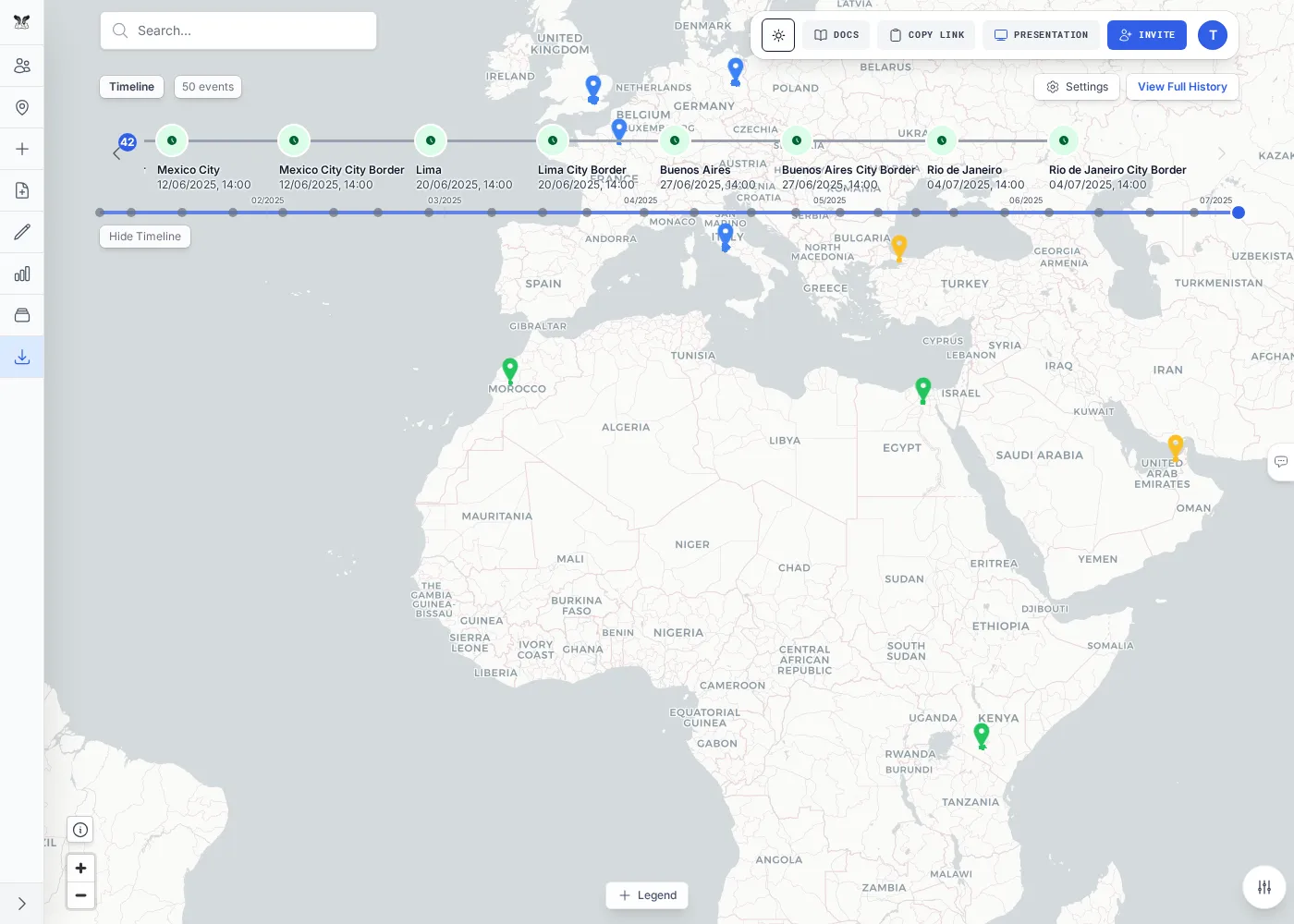
The test suite ships a world-travel-room.gpkg fixture (~1.5 MB) containing 25 world cities as markers
plus their boundary polygons, with dates that populate the timeline — a good example of how much a
single .gpkg can carry. There’s also a small geopackage-format-example.gpkg if you want to inspect
the structure.
Or upload via the API
Section titled “Or upload via the API”curl -X POST "$API/api/layers/upload" -H "Authorization: Bearer $TOKEN" \ -F "roomName=$ROOM" -F "layerName=world-travel" -F "file=@world-travel-room.gpkg"To restore a GeoPackage that represents an entire room (as produced by room export), use the room import endpoint instead — see Export & Import a Room:
curl -X POST "$API/api/rooms/$ROOM/import" -H "Authorization: Bearer $TOKEN" \ -F "file=@room.gpkg"Next steps
Section titled “Next steps”Upload a GeoTIFFBring in raster imagery and elevation data.